Write what matters. Inkwright writes the rest.

Take notes by hand or by keyboard in any meeting, class or call. Afterwards Inkwright fills in what was said, beside your own words, with the moment each line came from. No bot joins the call, and it can all run on your device.

Free and open source. No account, no server of ours.

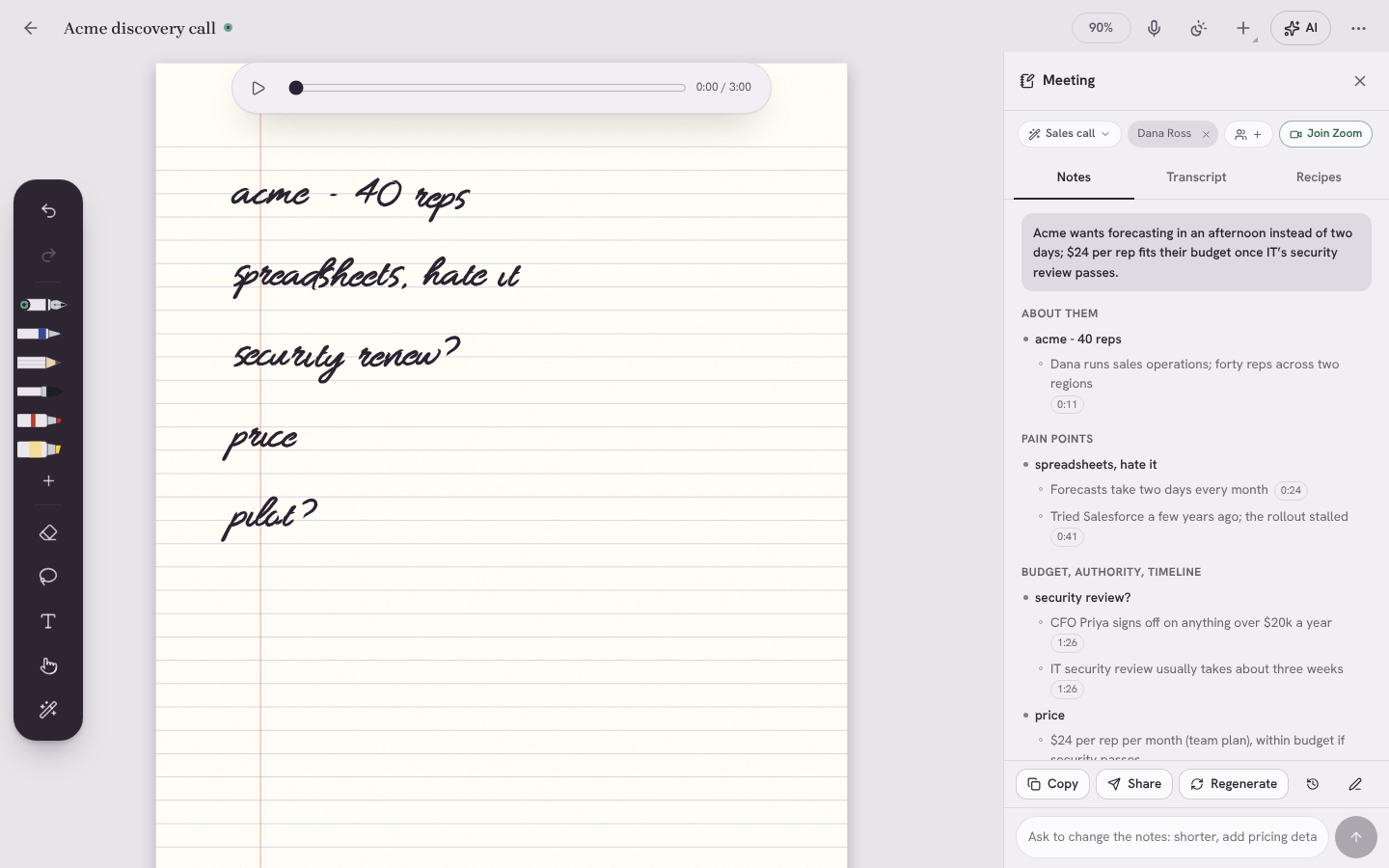
A meeting page: handwritten notes in black ink, and beneath each, Inkwright’s additions in blue ink with the time each was said.
Your notesFrom what was said

A meeting, start to finish.

Inkwright knows your calendar, listens while you write, and turns a few rough lines into notes you can send.

A page of handwritten meeting notes, with the Meeting panel showing the enhanced notes: a one-line summary, the writer’s lines in dark ink and the details under them in grey, each with the time it was said.

Before in your calendar

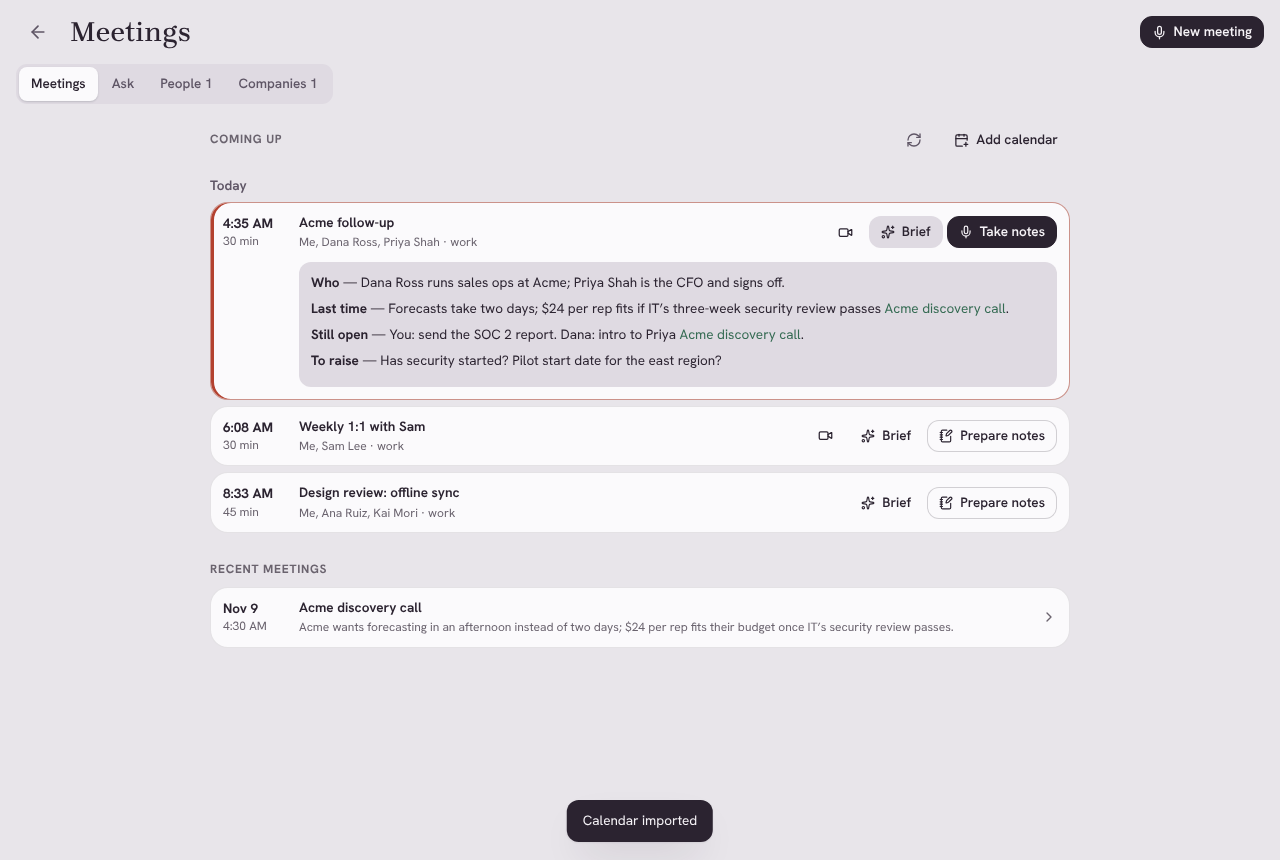
Coming-up meetings with their join links. Start notes in a tap, with the attendees and a template that fits. A short brief from your earlier meetings with the same people: what was decided, what’s still open, what to ask.

During on paper or keys

Write what matters to you. Inkwright records the room, or both sides of a Zoom, Meet or Teams call, with no bot in the meeting. Lost the thread? Ask what was just said.

After in a minute

Your notes, complete: your lines kept word for word, the details beneath them in grey, every one linked to the moment it was said. Action items with owners. Ask for changes, or send it on.

Ask across every meeting you’ve had.

One meeting, one person, one company or the last quarter. Answers cite the meeting and the moment, so you can check them. Recipes do the work you do after every call.

  • Follow-up email
  • Action items
  • Decisions log
  • TL;DR for Slack
  • Coach me
  • Write a PRD
  • Objections and answers
  • Feature requests
  • Weekly recap
  • What do I owe them?
  • Best quotes
  • Themes and trends
  • Your own
The Meetings screen: three meetings coming up today, one with a brief open showing who is coming, what happened last time, what is still open and what to raise.

Sends where your work happens.

Notes to a channel, a page or a CRM; action items to your issue tracker or task list. You see exactly what goes before anything is sent.

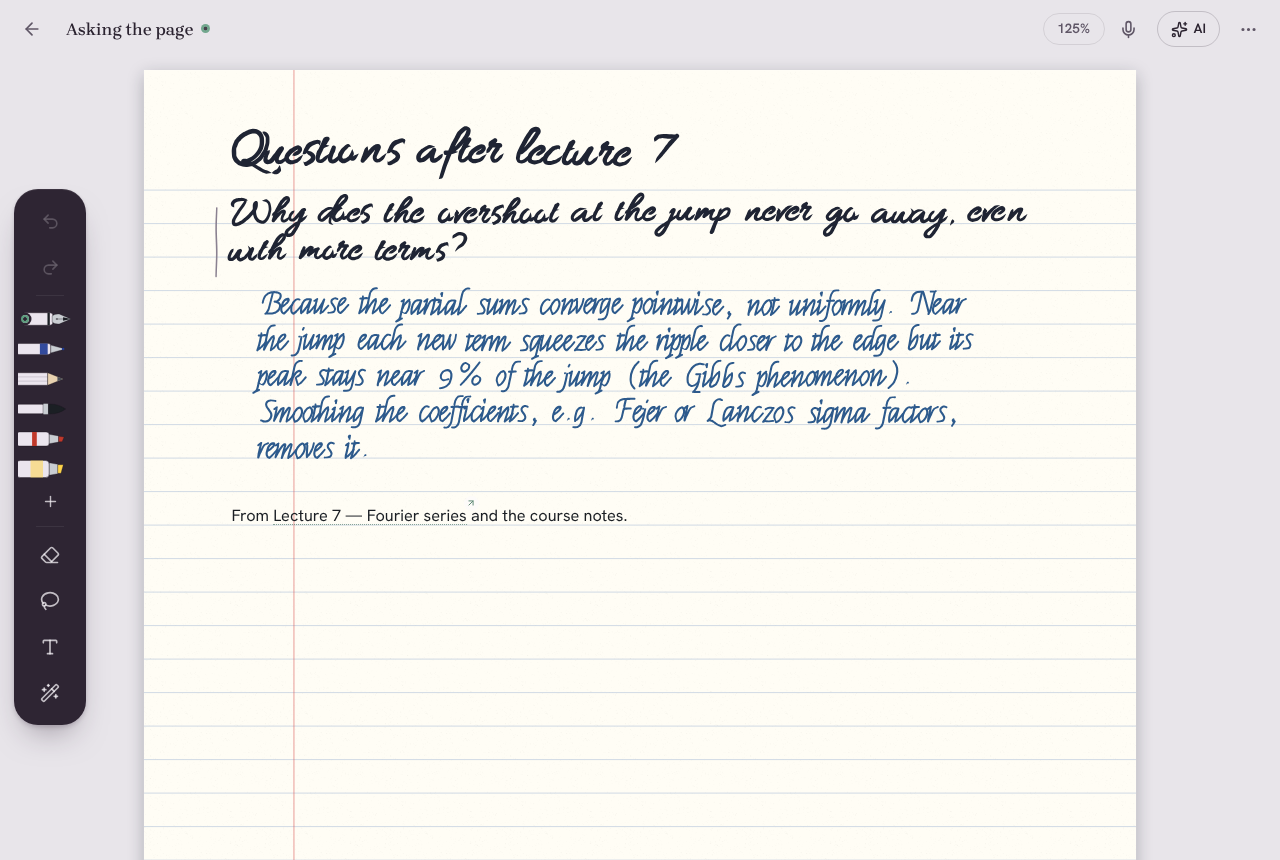
A question written by hand, answered on the page by the AI in its own blue handwriting.

A notebook first. It feels like paper.

Ink under the nib before the next frame
Pressure, tilt and palm rejection on Apple Pencil, S Pen and Windows pens. Scribble to erase.
Answers in ink
Circle a question and the answer is written beside it, in a colour never mistaken for yours. Enhanced notes can go onto the page the same way, in a hand matched to yours.
Notes that listen
Tap any word you wrote to hear what was being said at that moment.
Study and maths
Handwritten maths solved, flashcards from any note, and a tutor that quizzes you on what you wrote.
Every page
Ruled, dot, Cornell and planner paper, typed documents, and PDFs to annotate, fill in and sign.

Private by design, not by promise.

No bot in your meetings
Inkwright records from your own computer or phone. Nobody else sees a notetaker join.
AI on your device
Transcription, enhanced notes, recipes and briefs can all run on the device, offline. Or bring your own key for any provider.
Delete audio after transcribing
Keep the transcript and your notes, drop the recording, if you prefer.
Your files, your storage
Notes are plain files on your devices, synced through your own Drive, WebDAV or folder. No account, no server of ours.
One checkpoint for every AI call
Keep a notebook off-limits, mask emails and numbers before a model sees them, and check a signed record of what was sent.
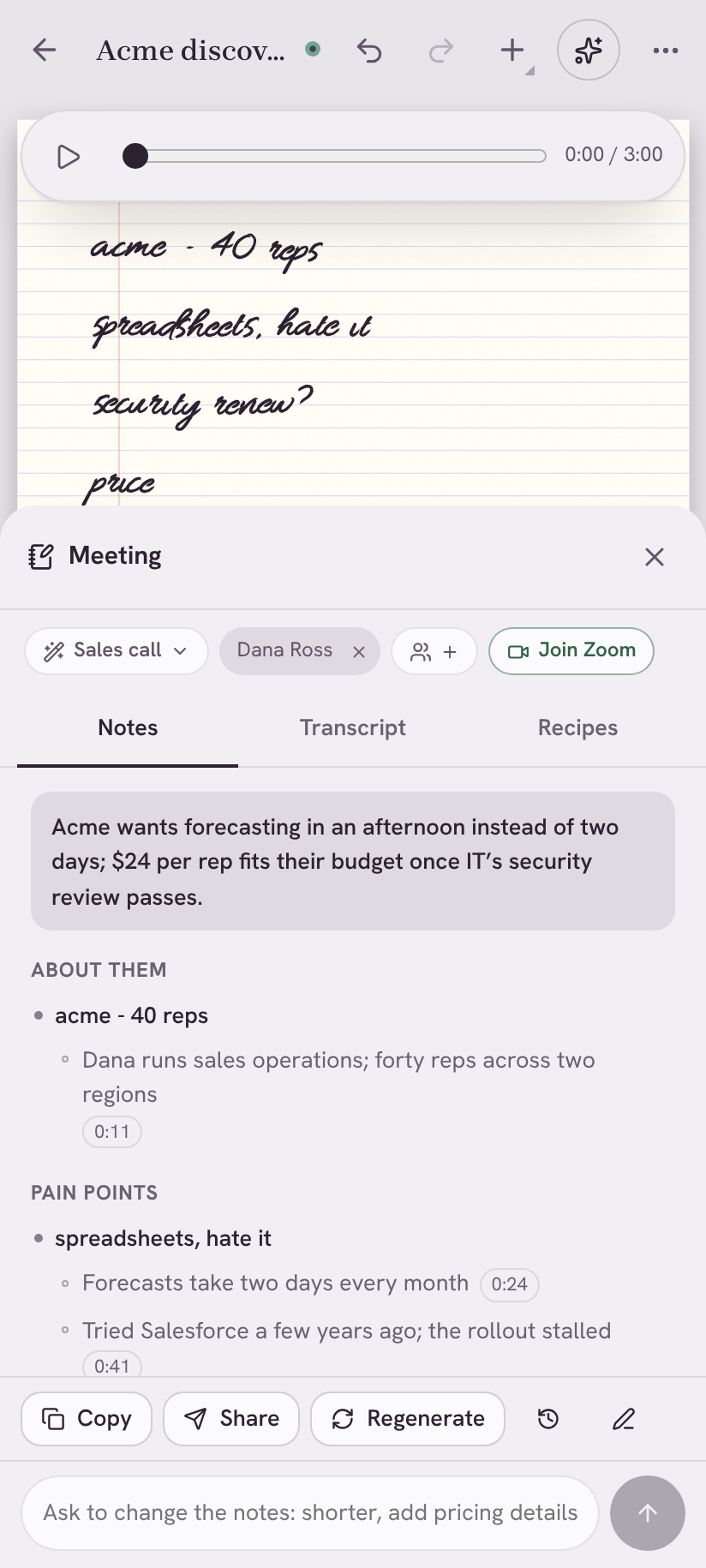
The meeting panel on a phone, under the handwritten notes.

How it compares.

Meeting note-takers and handwriting apps each do half of this. Inkwright does both, and keeps it yours.

FeatureInkwrightAI meeting note-takersHandwriting note apps
Write by hand with a penYesNoYes
Your notes completed from what was saidYes, your words keptYesSummaries of recordings
Records calls without a bot joiningYes, on computersSomeNo
AI that runs fully on your deviceYesNoSome
Templates, recipes, briefs before meetingsYesYes, often paid tiersNo
Ask across everything, with citationsYesYesSome
Send to Slack, Notion, Linear, CRMsYesOften paid tiersNo
Android, iPhone, iPad, Windows, Mac, Linux and webAll of themSomeSome
Notes as plain files you ownYesNoExport only
Free and open sourceYesFree tiers, closed sourceFree tiers, closed source

From the products’ own pages and plans, November 2026. “Some” means some products in the group do it.

Everywhere you write.

The same notebook on every device, synced through storage you choose.

Measured, including the weak spots.

Your notes kept in enhanced notesEvery line, word for word, even when a small on-device model paraphrases them; tested against the real output of Qwen3 1.7B
Scribble to erase99.6 % of 250 scribbles caught; none of 330 normal strokes erased
Contradiction linterPrecision 1.00, recall 0.92, no false alarms in 40 everyday notes
Personal-data firewallPrecision 100 %, recall 98.2 %
Injection detectorWeak on new attacks: 29 % detected. Deletes always ask, dry run blocks writes, and local-only notes never reach the cloud.
Tests1,800 unit tests and evals; end-to-end tests in Chromium, Firefox and Safari’s engine, and on iPhone, iPad and Android in CI

Your notebook is a server for your other tools.

MCP for Claude, ChatGPT and Cursor; A2A; a REST API with OpenAPI; signed webhooks; a typed SDK and a CLI. Meetings and notes become context for every agent you use.

# Give Claude Code your notebook
claude mcp add inkwright -- node apps/mcp-server/dist/index.js \
  --vault ~/Notes --read-only

# Or call it like any web API
curl -H "Authorization: Bearer $KEY" \
  "localhost:8765/api/v1/search?q=pricing&mode=hybrid"

Bring a pen to your next meeting.